 Copilot Training · Mutual Funds & Wealth
Your Team Already Has Copilot. Here's How Much It Can Already Do.
One day of Microsoft Copilot training for the teams at Equirus Wealth, run entirely on Microsoft 365 Copilot Chat, the basic licence that comes with Microsoft 365. No premium licence. By the end of the session, participants were building role-based agents, working in shared notebooks and turning Excel workbooks into interactive executive dashboards.
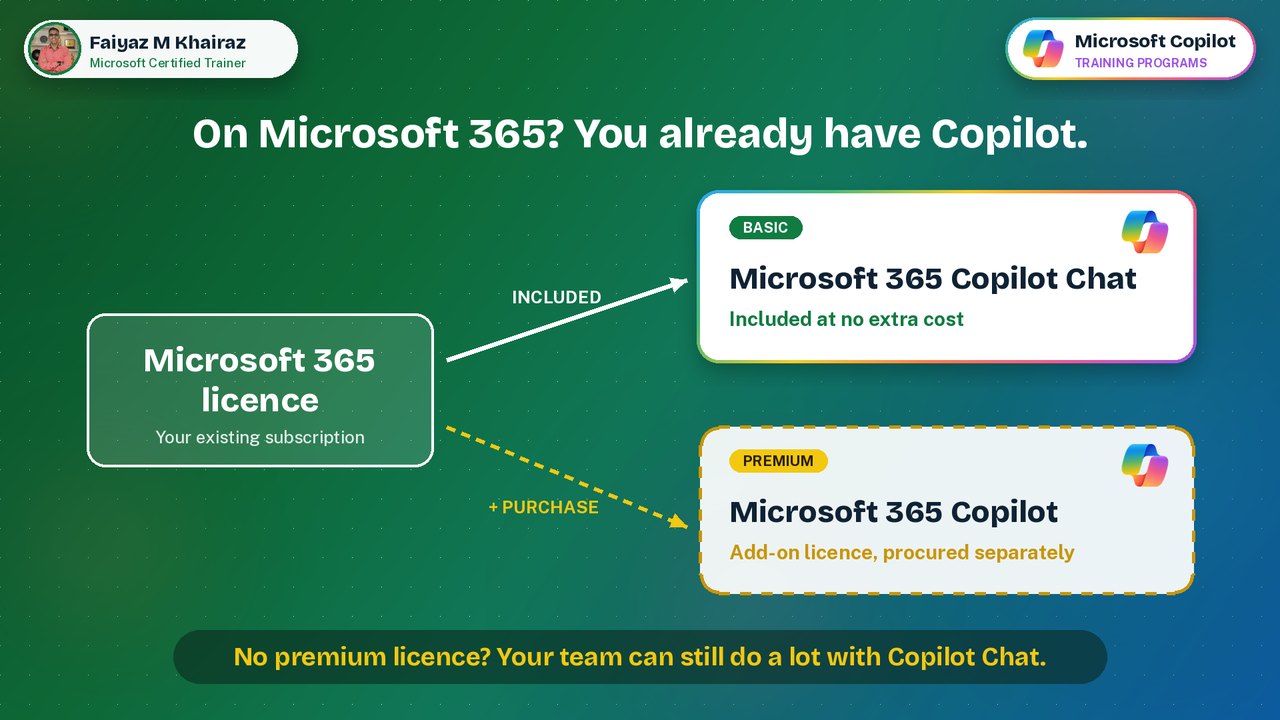
On Microsoft 365? You already have Copilot.
Many teams wait for the premium licence before they start with Copilot. They don't need to. Every Microsoft 365 work account includes Copilot Chat, and it already does a great deal.
I train on both. Teams on the basic licence learn what they can do today. Teams with premium licences learn to get full value from them.
Six things we unlocked on the basic licence
Each one was practised hands-on with mutual fund scenarios: distribution and sales funnel, fund flows and performance, client profitability and service.
Search vs Chat
Search finds the file, email or meeting you need. Chat reasons over what you give it. Knowing which to use first saves a lot of retyping.
Used for: finding the latest fund-flow workbook, then asking Chat to summarise itNotebooks
One place for a project's files, notes and conversations, so Copilot keeps the context and you don't start from zero each time.
Used for: a notebook per review: distribution, funds, client profitabilityRole-based Agents
An agent with a fixed role, instruction set and output style. Write it once, reuse it every week.
Used for: an Analyst Agent that reviews any MF workbook the same wayPages
Turn a good Copilot answer into an editable page you can refine, add to and share, instead of copying text out of the chat.
Used for: a monthly business review draftSharing Notebooks
Share a notebook so the team works from the same sources, the same instructions and the same history.
Used for: one shared workspace per regional or RM teamArtifacts
Ask Copilot Chat for something you can use, not just read: an interactive HTML dashboard built straight from the Excel data.
Used for: the five executive dashboards below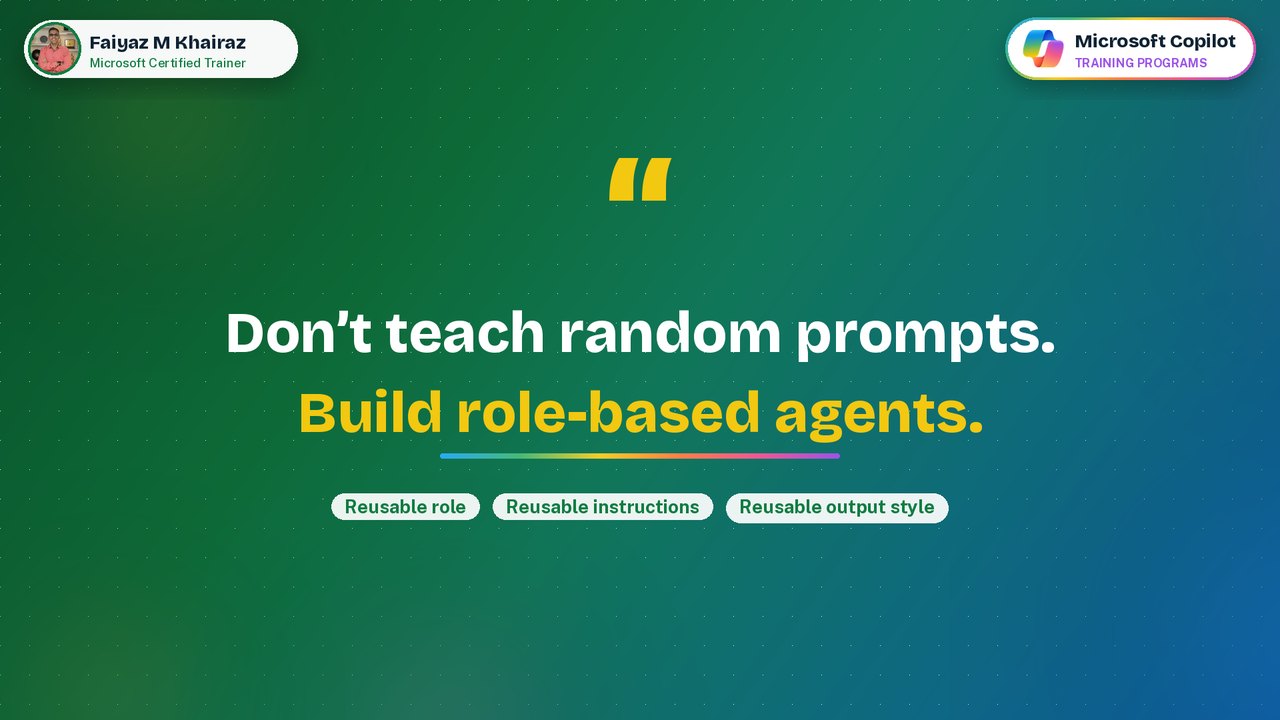
Don't teach random prompts. Build role-based agents.
Copilot Chat on the basic licence doesn't keep your uploaded files from one chat to the next. So the program focused on what does carry over: a reusable role, a reusable instruction set and a reusable output style.
Why it works: the agent behaves the same way every time, so the whole team gets consistent, comparable outputs.
What participants built, in one session
The same three sample workbooks, five different executive dashboards. Each participant asked Copilot Chat for an interactive dashboard and then shaped it to the story they wanted to tell leadership.
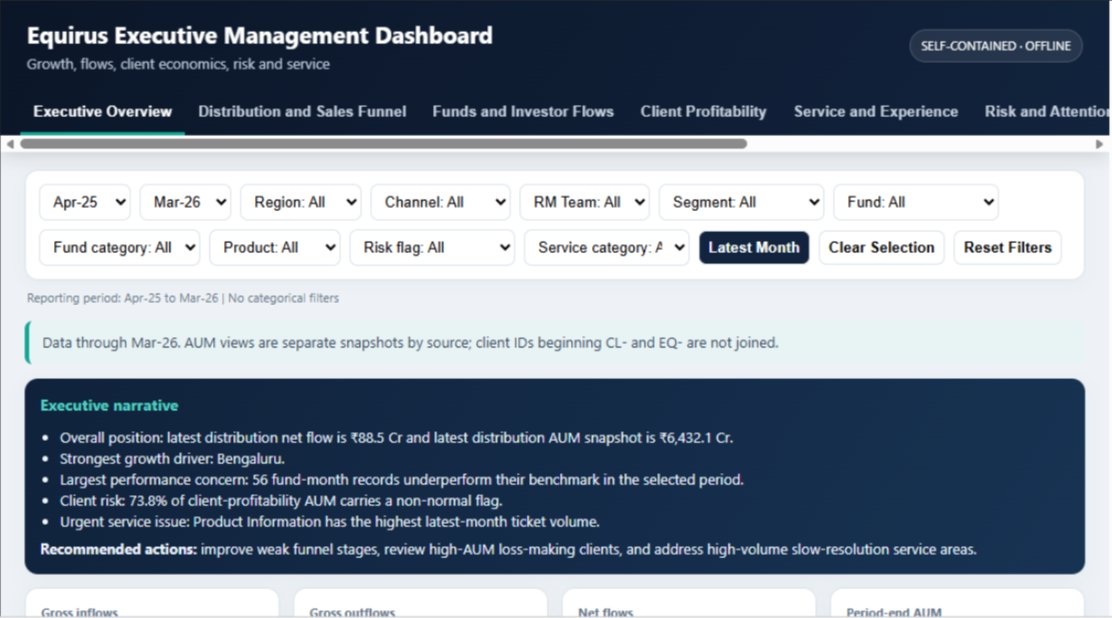
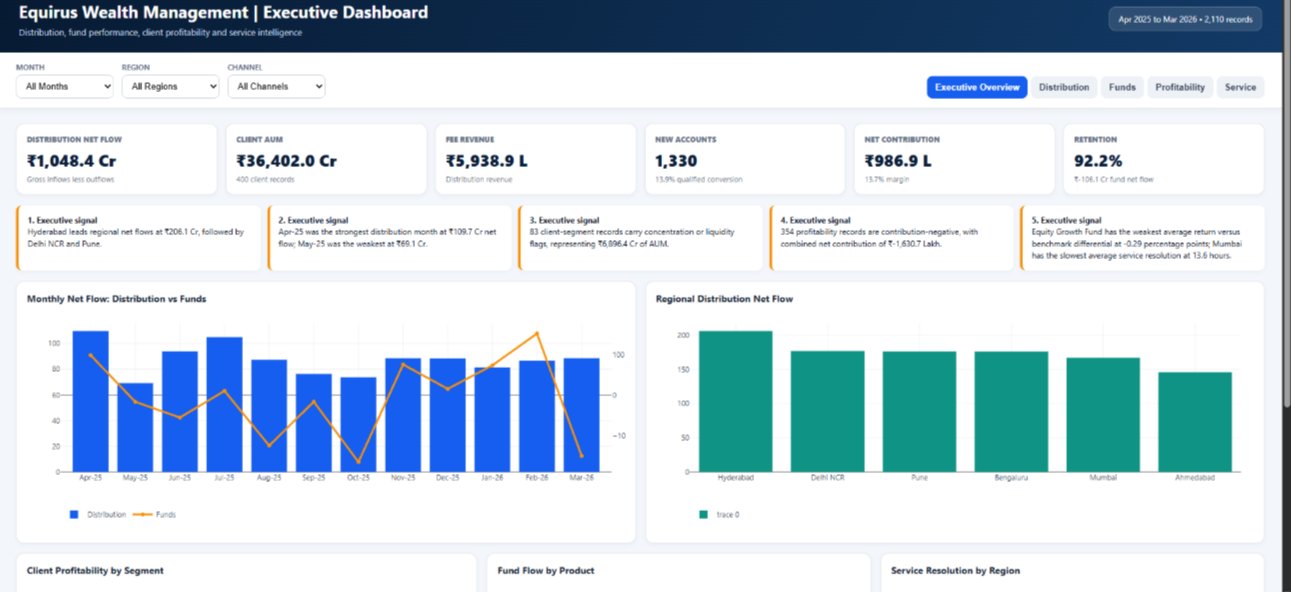
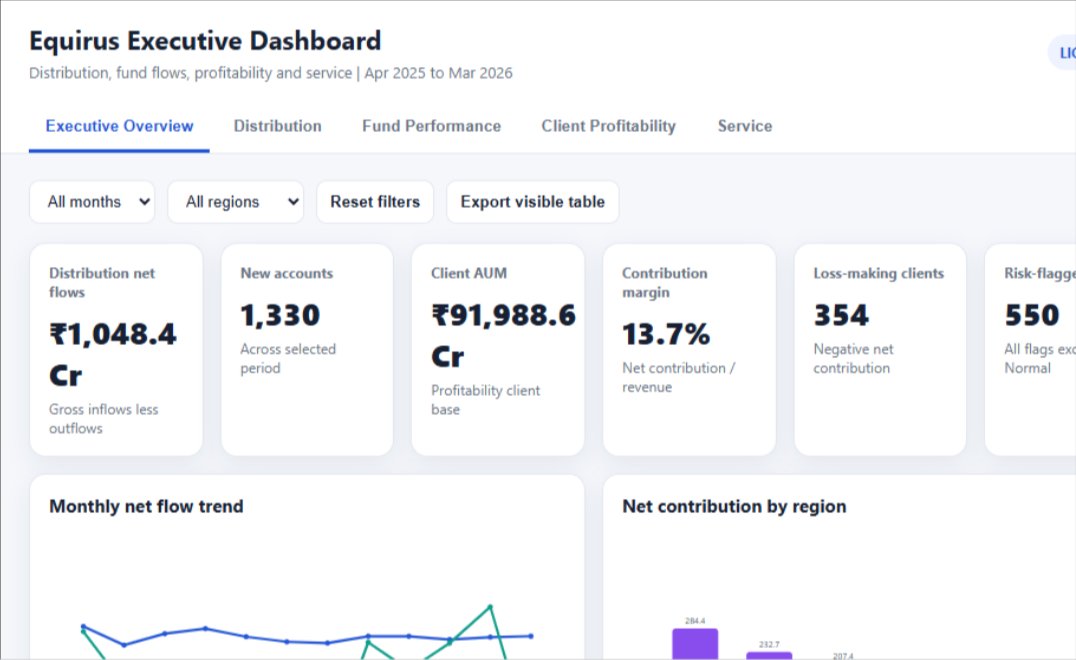
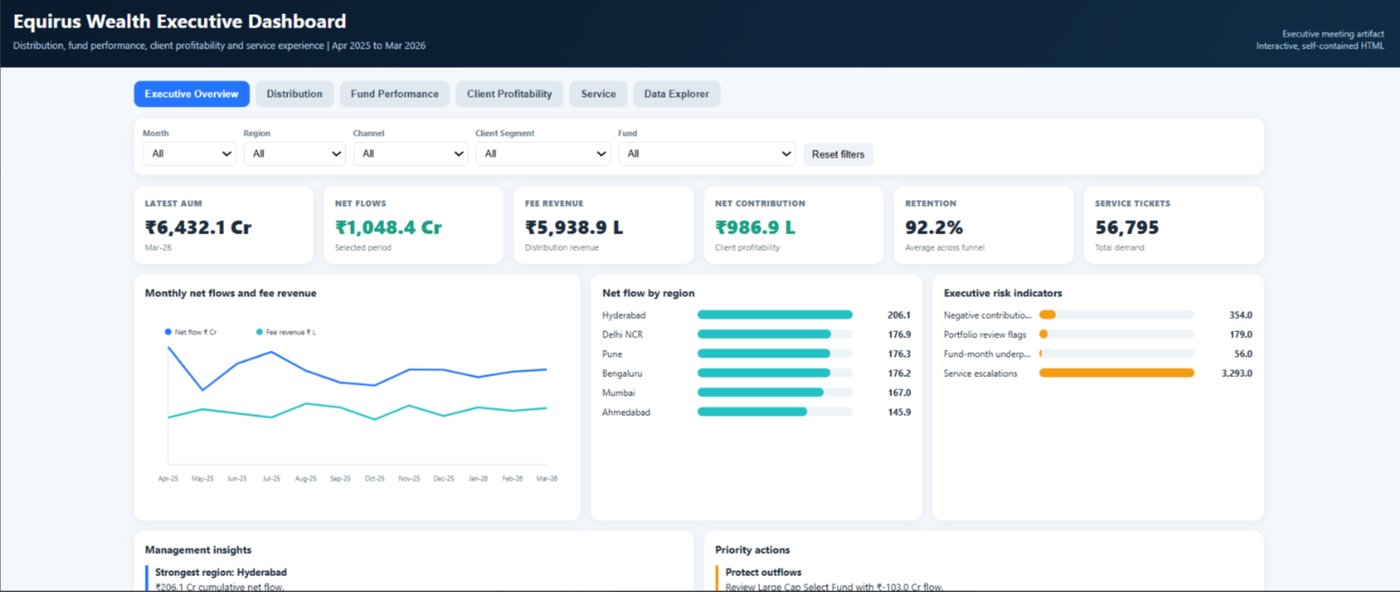
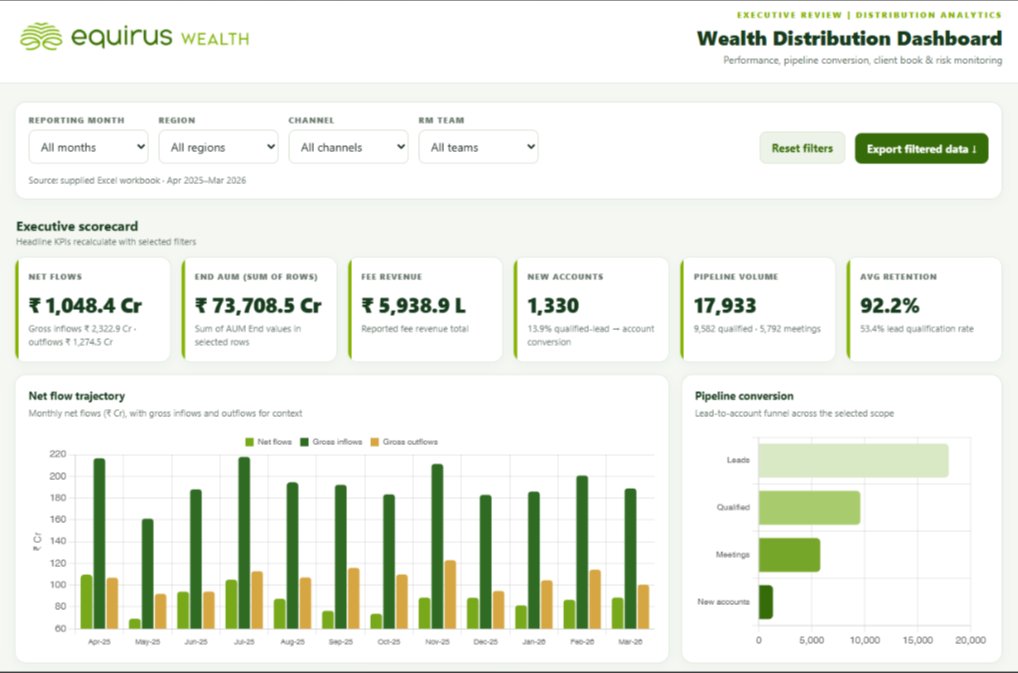
Sample data only. All data used in this program was created for training. Every figure shown is fictitious and does not represent Equirus Wealth or any of its clients. Participant names are withheld.
Interactive by design
This was not a lecture with slides. The Teams chat ran all day: the trainer checked in after every exercise, shared screens and shortcuts, and participants posted their answers, discoveries and finished dashboards as they went.
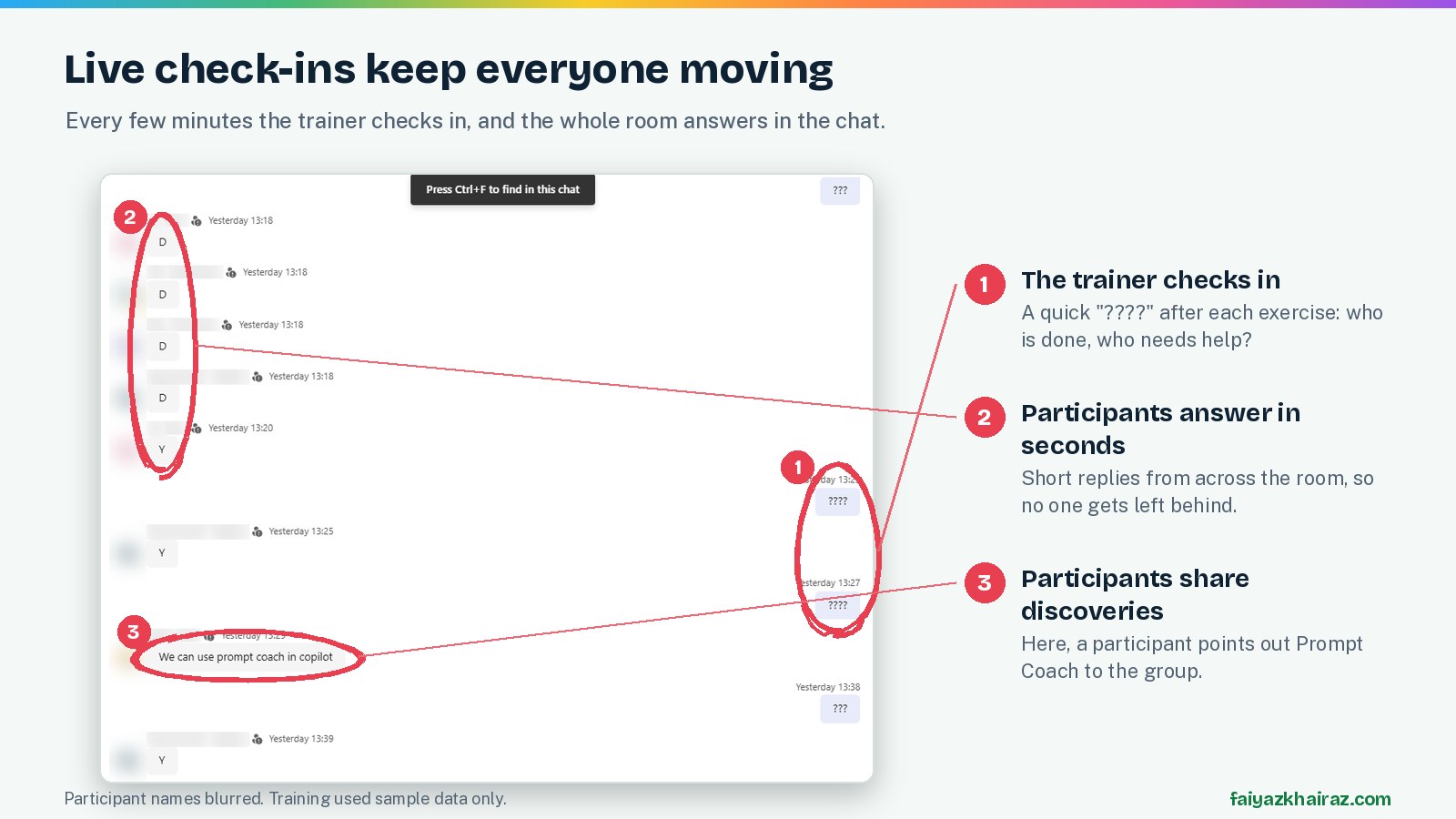
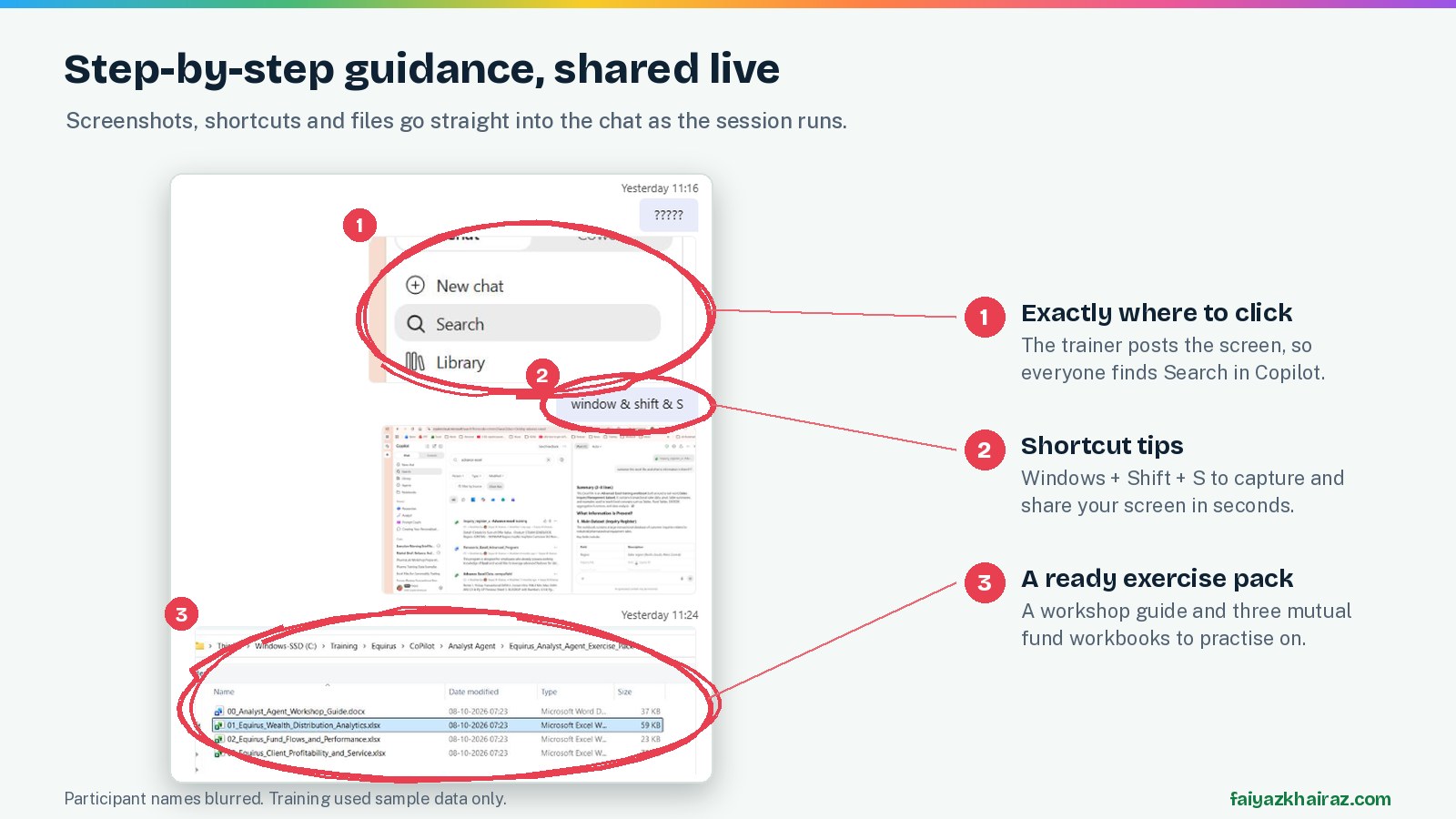
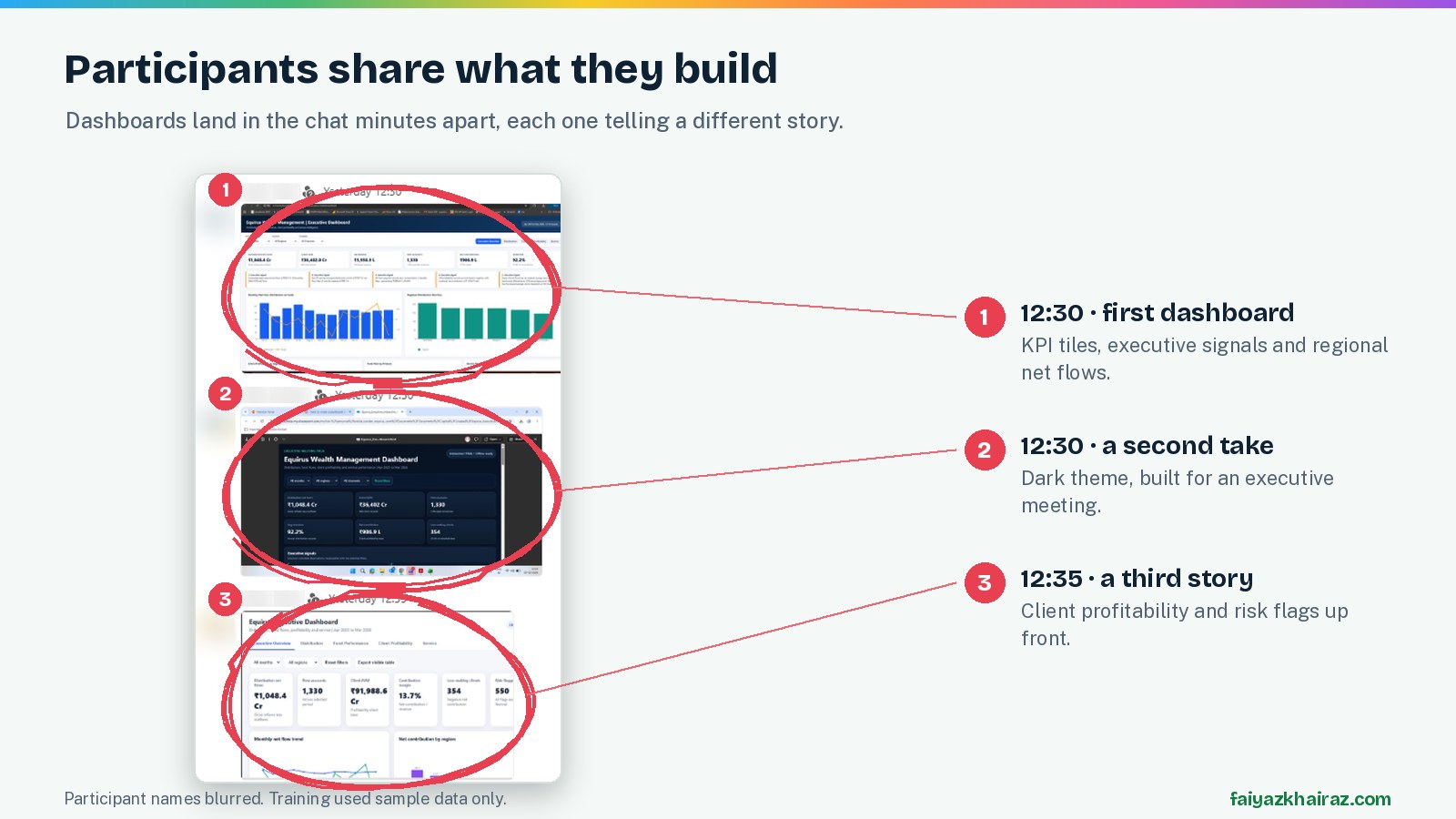
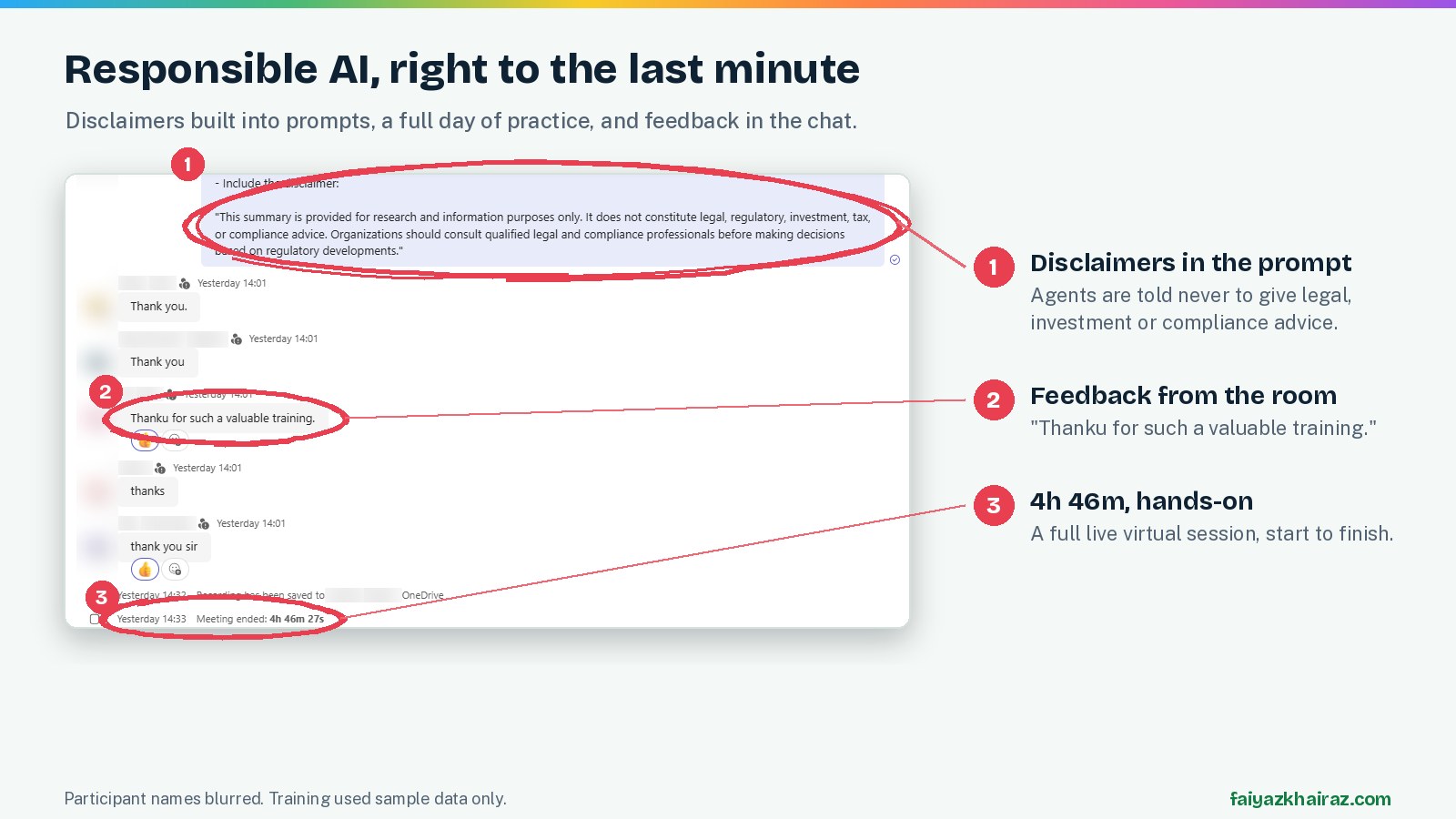
Privacy: participant names and photos are blurred. All data used in the session was sample data created for training.
Copilot builds fast.
Training teaches what to verify.
Every dashboard agreed on net flows: ₹1,048.4 Cr. But the AUM figure ranged from ₹6,432 Cr to ₹91,989 Cr, because each team defined AUM differently: a period-end snapshot, a sum of rows, or a client-level total. None of them was "wrong". Each was a definition someone had to choose. That conversation was one of the most useful moments of the day.
Tell Copilot exactly how AUM or net flows should be calculated.
Every number should come with the sheet it came from.
When two answers differ, find out why before sharing.
Copilot drafts. People decide what goes to leadership.
What participants said
"Thank you for such a valuable training."Participant, Equirus Wealth
"We can use Prompt Coach in Copilot."Participant, during the session
"Thank you sir."Participant, Equirus Wealth
Built for mutual fund and wealth teams
The program uses mutual fund workbooks and scenarios, so every exercise looks like the team's own work.
Funnel conversion, regional flows, RM team performance.
Gross and net flows, fund performance against benchmark.
Segment economics, loss-making clients, risk flags.
Ticket volumes, resolution times, escalations.

Bring this program to your team
I'm Faiyaz M Khairaz, a Microsoft Certified Trainer with 22+ years in corporate training. I run Copilot programs on both the basic licence (Copilot Chat) and the premium licence (Microsoft 365 Copilot), built around your team's own work.
This case study is for information only. Microsoft, Microsoft 365 and Copilot are trademarks of the Microsoft group of companies.